
A company can outgrow Gusto without realizing it. One new hire works from another state, a manager misclassifies a worker, and payroll still runs on time. The problem appears later, when an incorrect tax setup, inconsistent wage practice, or incomplete investigation record turns a simple software decision into an employment-risk issue.
The best Gusto alternatives aren't selected by feature count alone. They should match your state footprint, compliance exposure, documentation discipline, and willingness to manage the processes around payroll. For a single-state business with straightforward employment practices, a lighter platform may be perfectly appropriate. For a regulated or expanding SMB, the right choice is the operating model that makes accurate, defensible work easier.
Consider a professional services company that starts with employees in one state. The founders choose Gusto because the setup is accessible, payroll is familiar, and the monthly cost is easy to understand. Later, the company hires remote employees in several jurisdictions, begins paying different types of workers, and gives managers more authority over schedules, compensation, and performance decisions.
The software may continue processing payroll correctly. That doesn't mean the company is operating safely. Someone still needs to confirm state registrations, review wage and hour practices, document classification decisions, preserve investigation records, and make sure managers follow the same process when employees raise complaints.
Gusto's history illustrates why the category has evolved. The company was founded in November 2011 as ZenPayroll and has raised about $746 million across its funding history. Independent reporting also described a June 2025 employee tender offer valuing the company at $9.3 billion, following a prior tender offer in 2021 alongside a $175 million Series E round. Those milestones place Gusto within the modern cloud payroll wave, where buyers increasingly expect software to support payroll, benefits, HR workflows, and compliance automation. Revenue Memo's company history of Gusto provides that background.
The market remains crowded. One independent analysis says the top 10 payroll providers cover only 55% of SMBs, while Intuit QuickBooks, ADP Run, and Paychex Flex together cover about 46% of SMB employers nationwide. It also places ADP and Paychex at roughly 10% each, with Gusto around 1%, which shows that even recognizable platforms operate in a fragmented market. Contrary's analysis of Gusto and the payroll market puts those figures in context.
That fragmentation gives buyers options, but it also creates a trap. A platform can be an excellent payroll processor and still be a poor fit for a company whose real need is stronger HR governance. Before comparing prices, ask what changed in the business. If the answer is new states, new worker types, recurring complaints, or inconsistent manager decisions, the problem isn't only payroll software.
Practical rule: Choose the platform that supports the controls your business now needs, not the one that best reflects how simple the business used to be.
A useful comparison starts with risk profile rather than brand familiarity. OnPay is a direct fit for businesses that want predictable multi-state payroll without moving into a higher pricing tier. ADP Workforce Now is more suitable when HRIS depth, compliance support, and broader workforce administration matter more than self-service simplicity.
The best HRIS systems guide can help leadership teams evaluate the wider HR technology category, but payroll buyers should first identify the operational problem they need to solve.
| Platform | Best For | Multi-State Support | Pricing Model |
|---|---|---|---|
| OnPay | SMBs seeking a direct, predictable Gusto replacement | Included in its core plan | Published base fee plus per-person pricing |
| ADP Workforce Now | Growing or compliance-heavy organizations | Designed for multi-jurisdiction payroll and tax filing | Quote-based and broader platform pricing |
| Paychex Flex | Employers seeking an established payroll platform | Supports all 50 states | Tiered or quote-based, depending on services |
| Rippling | Businesses combining payroll, HR, and IT workflows | Available through a broader modular platform | Quote-based and module-based |
| QuickBooks Workforce Payroll | Companies already operating in QuickBooks | Suitable where accounting integration is central | Base fee plus per-employee pricing |
OnPay stands out when the company wants multi-state payroll, benefits administration, and W-2 and 1099 support in one package. One cited plan is $49 per month plus $6 per person, with multi-state payroll included rather than reserved for a more expensive tier. Rho's comparison of Gusto alternatives describes that structure and why it can be easier to forecast as a business expands.
Tax handling deserves separate attention. OnPay is described as automatically calculating, filing, and paying federal, state, and local payroll taxes, and it offers a payroll tax accuracy guarantee. That doesn't eliminate the employer's responsibility to provide correct worker, wage, and jurisdiction information, but it can reduce manual filing work. Business.com's payroll alternative comparison outlines those capabilities.
ADP Workforce Now is the stronger candidate for organizations that need a deeper HRIS, multi-jurisdiction tax filing, benefits administration, and broader compliance support in one environment. It makes more sense when payroll is only one part of a larger workforce-control problem. A simpler platform may process pay efficiently, but it won't necessarily provide the same level of structure for a growing HR function. ADP's overview of HRIS software for small businesses identifies Workforce Now and other established platforms in that broader category.
Paychex Flex can suit an employer that wants a large payroll provider with multi-state coverage. A comparison source lists Paychex Flex and SurePayroll by Paychex as supporting 50 states, which is a concrete point to verify during vendor evaluation rather than assuming every “multi-state” claim means the same thing. TechRepublic's comparison of Gusto competitors provides that coverage detail.
Rippling and QuickBooks Workforce Payroll belong in the conversation when the company has a wider system objective. Rippling is relevant where payroll, HR, IT access, and employee records need to connect. QuickBooks is more compelling where accounting workflows already drive reporting and reconciliation. Neither should be selected merely because it has more features. The question is whether your team will govern the added modules properly.
Payroll accuracy is the starting point, not the finish line. A system can calculate pay correctly while the employer uses the wrong work location, applies an inconsistent classification, or lacks documentation showing why a decision was made. Regulated SMBs need to evaluate the process surrounding the software as carefully as the software itself.
The payroll and HR compliance software market is projected to rise from USD 25.6 billion in 2026 to USD 40.7 billion by 2031, reflecting continued demand for tools built around compliance-heavy operations. Mordor Intelligence's payroll and HR compliance software market analysis supports that projection. The market direction matters, but buyers should still judge each platform against their own exposure.
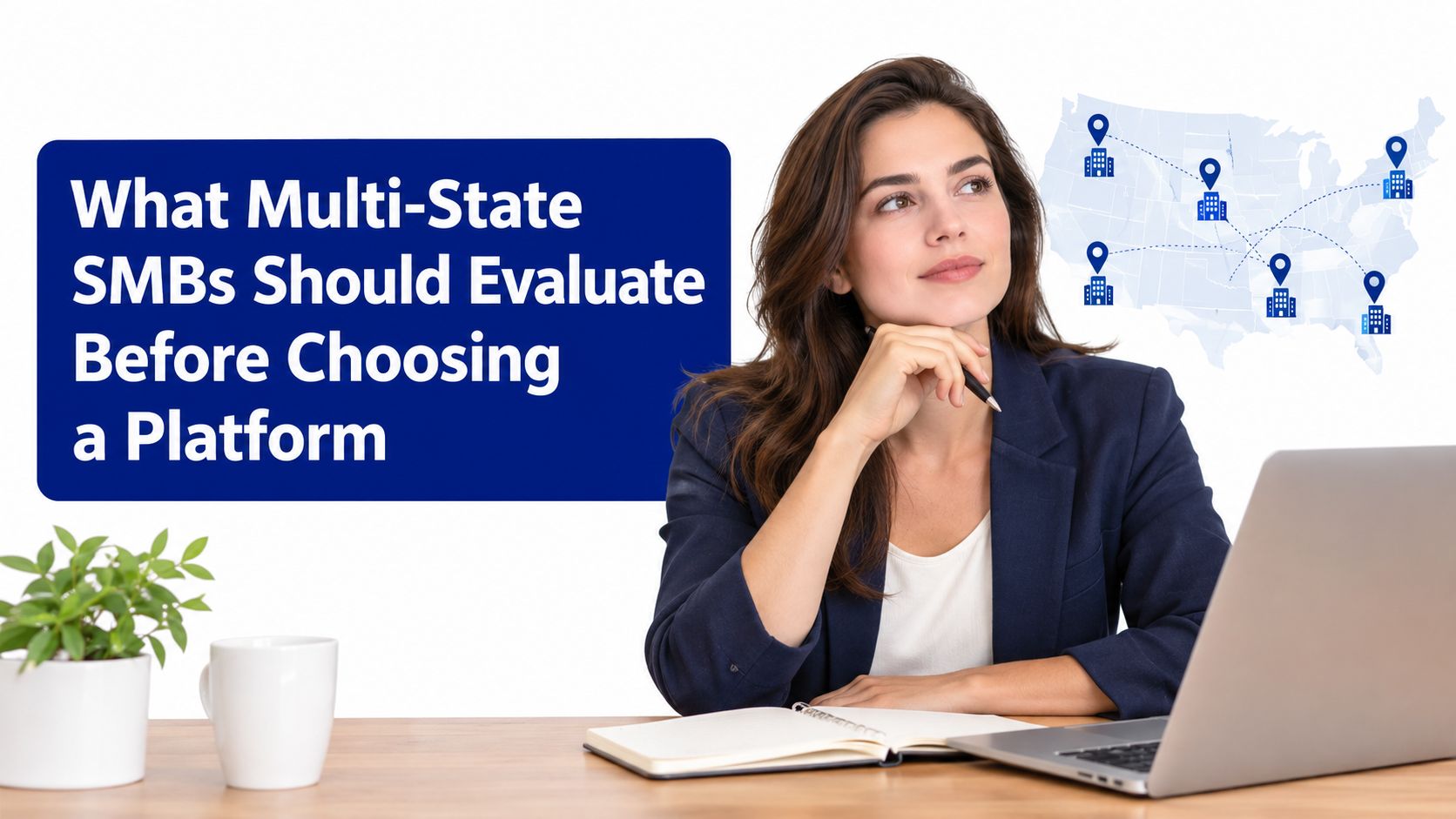
For every employee, identify the state and locality that affect payroll, tax withholding, unemployment obligations, wage rules, and required notices. Then determine who owns registration, filing, payment, notice response, and exception handling. “Multi-state support” is too broad to guide a decision unless the vendor explains what it performs and what remains with your team.
Use these questions in vendor demonstrations:
Worker classification is not a checkbox. The company needs a repeatable method for deciding whether a person is an employee or contractor, documenting the business facts, and revisiting the decision when the role changes. A payroll platform can store the result, but it usually can't replace managerial judgment or legal review.
Wage and hour practices create another layer of exposure. Review time capture, overtime approval, meal and rest break rules, deductions, travel time, and record retention. Use the simplifying multi-state payroll laws resource when building a more disciplined review process.
A dispute often turns on what the company can prove. Your platform should support consistent approval paths, investigation records, policy acknowledgments, payroll corrections, and access controls. Ask for a demonstration of the audit trail, not a marketing description of it.
A strong evaluation includes a simulated employee complaint. Give the vendor a scenario involving a classification question, a disputed deduction, or a termination decision. Then ask where the facts, approvals, communications, and final outcome would live. If the answer depends on email folders and personal spreadsheets, the platform isn't solving the full risk problem.
The right Gusto alternative depends on three variables: the complexity you have today, the jurisdictions you expect to enter, and the quality of your current HR controls. A small company may need only a simple payroll system. A similarly sized company with recurring complaints and distributed employees may need structured advisory support before it changes software.
Choose a simple payroll platform when the workforce is concentrated, payroll rules are straightforward, and the team has clear ownership for tax records and employee documentation. OnPay can fit this profile when predictable multi-state pricing and automated tax handling matter, but the business still owns the underlying decisions.
Choose a broader HRIS when payroll errors are symptoms of disconnected employee data, unclear approvals, or inconsistent onboarding and offboarding. ADP Workforce Now or Rippling may be more appropriate where HR administration needs to become a coordinated system rather than a collection of separate tasks.
Choose a PEO-like model when benefits access, workers' compensation administration, and shared employment infrastructure are central to the decision. This is not a simple payroll replacement. It changes the relationship between the employer, the provider, and the workforce, so leadership should assess control, cost, and transition obligations carefully.
Add advisory support when the company has unresolved classification questions, inconsistent investigations, uncertain registrations, or managers who don't follow a common documentation standard. Software can make a good process repeatable. It can't create a defensible process where one doesn't exist.
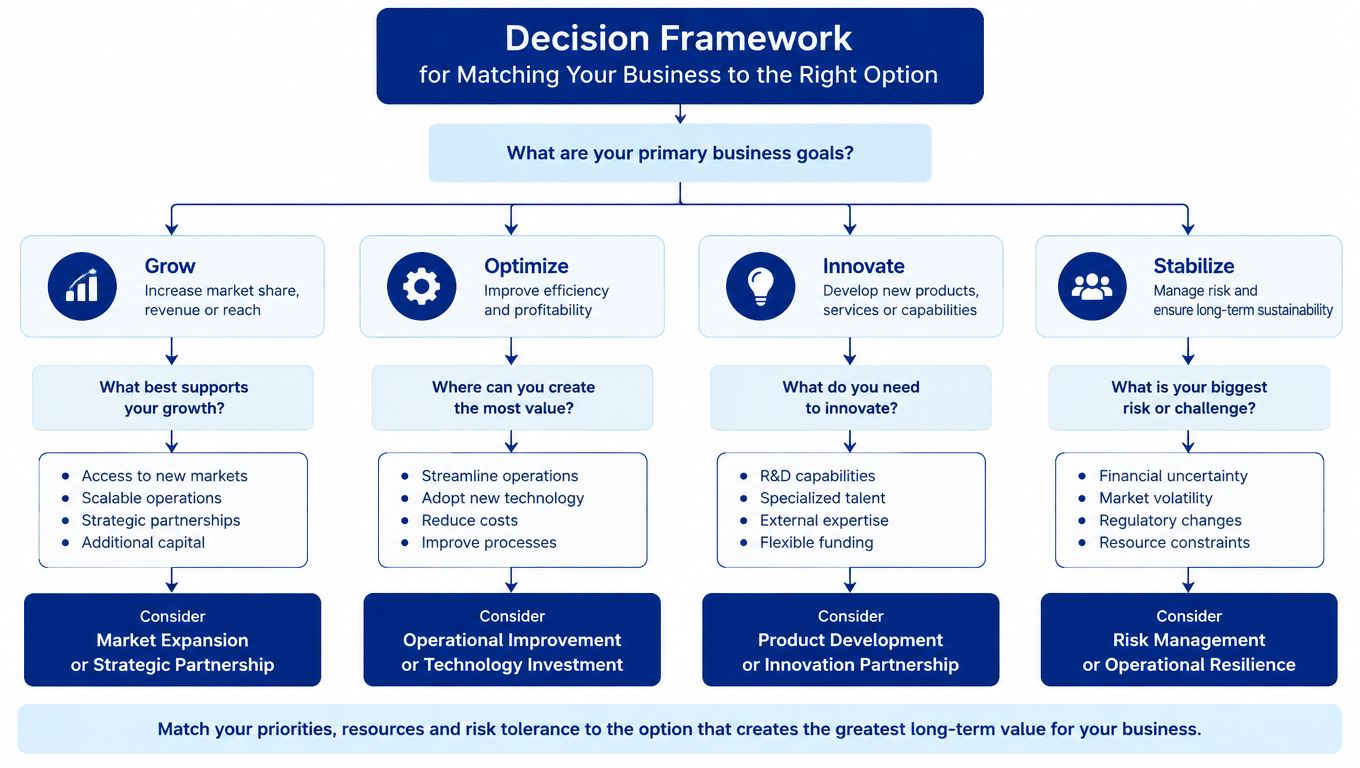
Bring the owner, finance lead, HR decision-maker, and operational managers into the evaluation. Ask each person to identify the failure that would cause the most damage. Finance may focus on inaccurate filings, while HR may focus on investigations and manager conduct. Both concerns belong in the final decision.
Score vendors against the actual operating model, not a generic feature list:
The best choice may be a lighter platform with disciplined advisory oversight. It may also be a broader system that the company is prepared to govern. The mistake is assuming that a more expensive platform automatically creates stronger compliance.
Treat a payroll migration as a controlled operational change, not an IT replacement. The new provider may import employee records, but your company remains responsible for the accuracy of historical wages, tax details, work locations, classifications, and policies.
Validate the history instead of accepting a successful import message. Compare prior payroll registers, year-to-date wages, tax withholdings, deductions, benefits, and worker classifications against the new system. Test wage calculations with representative scenarios, including hourly work, overtime, bonuses, commissions, deductions, and employees working across jurisdictions.
Policy alignment matters just as much. If managers approve time inconsistently, the new platform will preserve the inconsistency. If investigation notes live in personal files, a new HRIS won't automatically create a defensible record.
Run a parallel review with finance and HR. Confirm bank authorization, tax account details, work locations, pay schedules, deductions, benefit elections, approval paths, and employee access. Review who receives notices and how the team records the resolution.
A clean migration is not one where the data moved. It's one where the company can explain what moved, who verified it, and how the first live result was approved.
After launch, schedule a formal review of the first payroll cycles. Check filings, deposits, employee pay statements, general ledger entries, and exceptions. Keep a written issue log, because recurring small corrections often reveal a configuration or process problem that deserves attention.
Bring in an HR advisory partner before a platform change when the company can't clearly explain its current compliance position. That includes uncertain state registrations, repeated classification questions, employee complaints without a consistent investigation process, and managers who make employment decisions without reliable documentation.
Software selection becomes high stakes when the platform is expected to compensate for unresolved judgment. A system may create fields for classification, approvals, and investigations, but those fields are only useful when leaders know what facts to collect, who should decide, and how to preserve the reasoning.
You likely need advisory support when:
Advisory support is a risk-control decision, not a remedial expense. The partner should help leadership define decision rights, standardize documentation, review policies, assess multi-state exposure, and determine which software capabilities are genuinely necessary. That work is especially important when the company is considering a PEO, a broader HRIS, or a platform with multiple configurable modules.
Ask whether you need implementation assistance, compliance-focused review, or ongoing leadership guidance. A payroll specialist may configure tax settings effectively. An HR advisor can help determine whether the company's classification, investigation, termination, and documentation practices are defensible before those settings go live.
Cost should be assessed against the decision, not only against an hourly rate. A practical overview of HR consultant fees and rates 2026 can help leaders frame the budget, but the more important question is what exposure the engagement is designed to control.
Paradigm International Inc. offers payroll services, benefits administration, HR risk advisory, documentation support, employee relations guidance, and multi-state compliance support for SMB leadership teams. Its role can include helping owners, COOs, and HR leaders evaluate whether they need a different payroll platform, stronger controls around an existing one, or advisory oversight before making a high-stakes change.
If your business is expanding across states, dealing with employee complaints, or reconsidering its payroll system, start with an operating-risk review rather than a feature comparison. Visit Paradigm International Inc. to discuss payroll, HR controls, documentation standards, and multi-state compliance support with an advisory team.